Grow the right arm by training
For 1 Strength to Grow Your Arm grow your arm progression, use the available weight and build Strength. The game’s official premise connects lifting, higher Strength, and a visibly bigger right arm. You do not need a separate cosmetic task to start that growth.
Use the visual change as encouragement, then make decisions from the live Strength display and the wall in front of you. No verified public chart maps arm size to exact Strength or wall requirements, so judging progress only by appearance creates bad guesses.
What the arm growth means
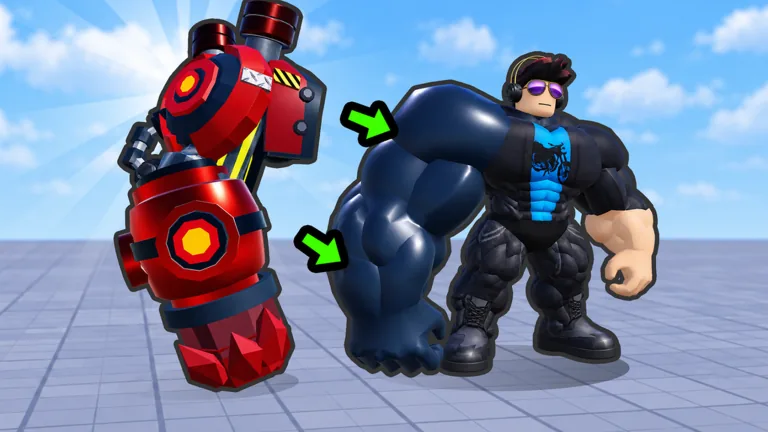
The oversized right arm is more than the game’s visual joke. It communicates that lifting has made the avatar stronger, and that strength supports the next official action: smashing walls. It is the visible bridge between training and exploration.
What it does not prove is just as important. A larger-looking arm does not publish an exact damage value, confirm a hidden multiplier, or reveal the requirement of every wall. Keep the roles separate:
| Progress signal | Safe conclusion | Do not assume |
|---|---|---|
| Strength number increases | Lifting is advancing the core stat | Every weight gives the same amount |
| Right arm becomes larger | Visual growth is tracking progression | A specific size equals a fixed threshold |
| A wall breaks | Current power can clear that gate | All later walls are now breakable |
| A wall remains | More progression is needed for that attempt | The game or server is automatically broken |
The smart arm-growth loop
Efficient growth is not endless lifting. It is a cycle that keeps your equipment, Strength, and access moving together.
- Lift until your Strength clearly advances.
- Try the nearest unopened wall once.
- Explore immediately when the wall opens.
- Find a Brainrot behind the opened route.
- Carry it back to your base for Coins.
- Check whether those Coins unlock a stronger weight.
- Begin the next training block with the best currently available option.
This method turns exploration into better training rather than treating it as a distraction. If you only lift, you delay Coins. If you only roam, you stop producing the Strength needed for new walls.
Avoid false size breakpoints
Screenshots and videos can make two avatars look as if they sit at exact growth tiers. Camera angle, avatar proportions, game updates, and the player’s current state can all distort that comparison. Do not copy an unverified “arm size equals Strength” chart into your route.
Use three live checks instead:
- the Strength value changes when you lift;
- the current wall breaks or stays intact;
- the current shop shows what weight you can afford and what it does.
These checks remain useful even when the experience updates its economy. They also keep you from buying or grinding toward a number that no longer matches the live game.
When the arm seems stuck
First look at the Strength display. If it increases, your progression is working even when the next visual change is subtle. Continue a short training block and compare again. If the value does not change, step away from the training object, follow the current interaction prompt again, and verify that the game has registered your action.
Next, check for unspent Coins. A stronger weight is the confirmed way to improve the training side of the loop, but the best purchase depends on the current shop. Compare what is available now instead of assuming a named weight or price from another version.
Finally, test the correct wall. Repeated attempts against a later barrier can make working progression feel stalled. Return to the nearest unopened route and use its response as your practical checkpoint.
Growth versus cosmetics
The official description explicitly ties the right arm’s growth to Strength and wall smashing. It does not document separate skins, aura bonuses, left-arm progression, or cosmetic size controls. If the live interface introduces one of those systems, read its description before assuming it changes Strength.
The safest rule is direct: a feature affects your route only when the current game explains its effect or you can observe the relevant stat change. A striking visual alone is not an efficiency claim.
FAQ
How do I grow my arm in +1 Strength to Grow Your Arm?
Lift weights to gain Strength. The right arm grows visually as that central stat advances.
Why is only the right arm getting bigger?
The official premise specifically features the avatar’s right arm. No separate left-arm progression system is confirmed.
Is arm size an exact Strength meter?
No verified first-party chart maps each visible size to a number. Read the current Strength display for exact progress.
Does a bigger arm automatically open every wall?
No. Test the nearest wall; later walls remain separate progression gates.
What should I check if my arm stops changing?
Confirm lifting still raises Strength, check for an affordable stronger weight, and re-engage the current interaction if the stat is frozen.